Physics Tools in Project P.I.T.T.
Every gadget that moves rubber ducks, boxes, and combo chains toward The Maw.
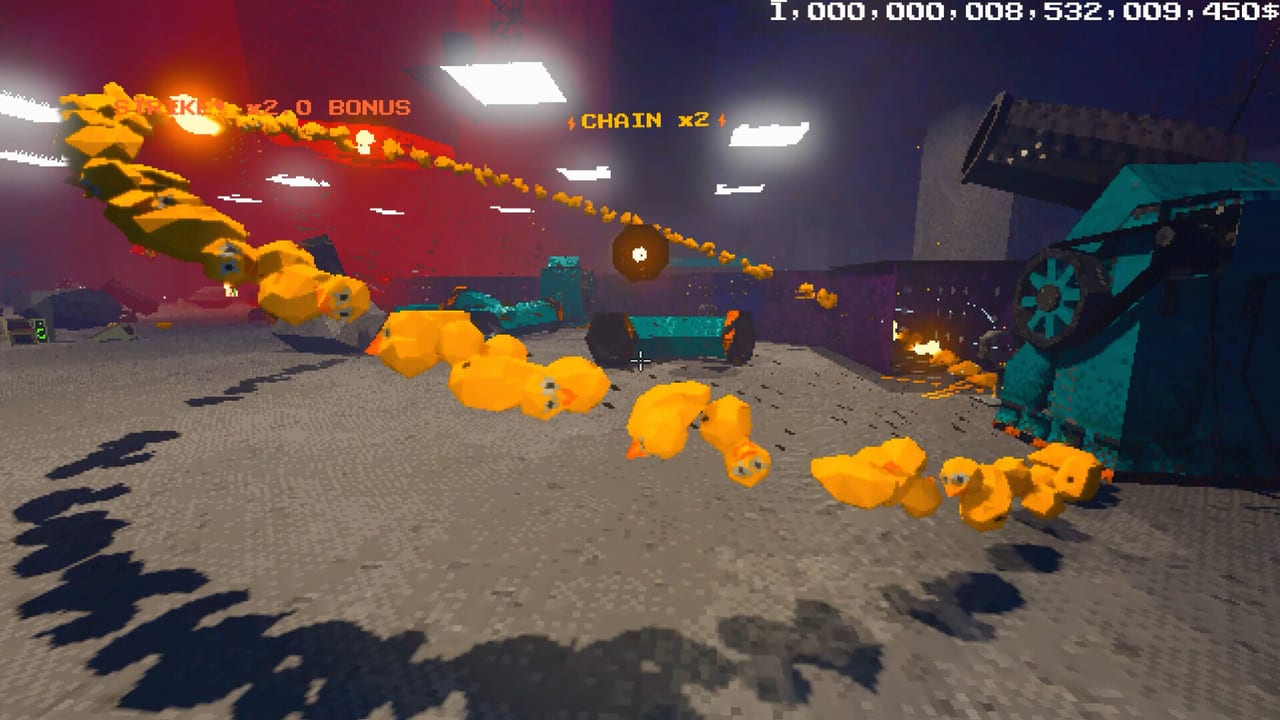
Physics tools are the internship toolkit in Project P.I.T.T. You are not clicking a production button—you are shaping trajectories in a brutalist corporate facility so rubber ducks and later products fall into The Maw with style and volume. This page catalogs the core gadgets players meet in the demo and early full release: fans, magnets, panels, pistons, launchers, brooms, the golf club, and the remote. For sticky upgrades and unlock order, continue to Upgrades. For full lines, see Automation Builds. Beginners should also skim Getting Started and Controls.
Fans
Fans push lightweight ducks along corridors, up short ramps, and across gaps you do not want to walk. Aim the airflow so products stay in a lane instead of spraying across the floor. Early fan mistakes usually come from overpowering a short distance—ducks slam into a wall, lose combo potential, and die as lonely tosses. Soften the path with a panel funnel before the Maw mouth, then let the fan do continuous work while you restock. Fans shine when sticky upgrades keep them pointed correctly after you walk away.
Magnets
Magnets tug and redirect objects that respond to magnetic force. Use them as curve tools: pull a stream around a corner, catch a misfire before it rolls into a dead zone, or hold a piece in place while another tool times a piston strike. Magnets are less about raw speed and more about control. In combo work, a magnet that keeps ducks clustered can be worth more than a second launcher that scatters them. Pair magnets with How to Chain Combos once you understand product cadence.
Panels
Panels are architecture. They become walls, floors, ramps, chutes, and bounce boards. A good panel layout reduces chaos so every other tool has a job. Build a wide intake near production, narrow the lane toward The Maw, and leave a recovery shelf for ducks that bounce out. Panels also protect sticky placements from accidental bumps when you sprint through the facility. Treat panels as the skeleton of every automation build on the Automation Builds page.
Pistons
Pistons deliver timed punches. Place them where ducks pause—on a ledge, against a stop panel, or under a box drop—so each extension launches product into the next stage. Timing matters: fire too early and you hit empty air; fire too late and you interrupt a combo chain. Pistons love sticky upgrades because a piston that drifts off-angle wastes every cycle. Use the remote to test trigger timing without standing in the danger zone of your own machine.
Launchers
Launchers throw farther and harder than hand tosses. They are the bridge from early duck feeding to serious throughput, especially when boxes arrive for bulk feeding. Aim for a soft landing zone near The Maw rather than a perfect rim shot every time—consistent near-misses that panels redirect still beat dramatic airballs. Launchers pair well with fans that finish the last meter and magnets that correct lateral drift. Check the Tools Tier List when you must choose between a second launcher and sticky quality-of-life upgrades.
Brooms
Brooms are cleanup and jam-breaking tools. Physics sandboxes create pileups; brooms sweep floors, clear stuck ducks from corners, and rescue a line that choked on its own success. Do not treat the broom as a primary feeder—treat it as insurance. A broom near a high-traffic panel corner can save minutes every shift. Sticky broom placements near chronic jam spots are underrated on day-one runs covered by Tips and Secrets.
Golf club
The golf club is precise, personal, and oddly corporate. Use it to tap a single duck over a lip, finish a nearly complete combo, or poke a box that settled wrong. It will not replace automation, but it will save runs when a perfect chain is one nudge away. Keep the club for interventions, not for your main loop. When discovery unlocks better sticky tools, the club remains the emergency putter of Project P.I.T.T.
Remote
The remote lets you trigger and manage tools without jogging across the entire facility between every cycle. That matters once your line spans multiple rooms or when The Maw expands and walking distances grow with corporate appetite. Use the remote while watching combo feedback so you can fire pistons and launchers on rhythm. Remote play is a bridge into true automation described in How to Automate.
How tools unlock and improve
Feeding The Maw funds progress. Discovery rewards curiosity—odd angles, overlooked corners, and experimental placements can unlock new tools or sticky upgrades. Do not hoard forever, but do not buy every shiny gadget before your panels make a clean lane. The Early Upgrades Tier List and Upgrades pages rank what to sticky-upgrade first. Product knowledge on Rubber Ducks and Products and Boxes and Containers tells you when a tool that worked for single ducks fails on bulk boxes.
Practical layout checklist
- Panels first: define the lane and Maw approach.
- Add a fan or piston for continuous motion.
- Place a launcher only when hand tosses cannot keep up.
- Add magnets for curve control, not decoration.
- Park a broom at the worst jam corner.
- Keep the golf club for clutch saves.
- Bind remote habits before the facility grows.
- Revisit sticky upgrades after every Maw feeding milestone.
Cross-links for deeper play
Return to the Tools Hub for navigation. Compare rankings on the Tier List Hub. Track demo and launch timing on Release Date and Demo. When products diversify, refresh your tool angles instead of forcing the first duck corridor forever. The Maw gets larger. Your physics tools should get smarter, stickier, and louder with every combo chain.
Frequently Asked Questions
Quick answers about the full game, The Maw, and day-one patches.
Which physics tool should I place first?
Panels first to shape a lane, then a fan or piston for motion. Add launchers when hand feeding cannot match The Maw's appetite.
What is the golf club actually for?
Precision nudges and clutch saves. It is not a primary feeder—use it when one tap finishes a combo or frees a stuck duck.
Do magnets replace fans?
No. Fans push continuous airflow; magnets redirect and cluster. Most strong builds use both with panels.
When do I need the remote?
When your line is large enough that walking between triggers breaks combo rhythm. It is essential for multi-station automation.
Where do sticky upgrades fit in?
After you know a tool's role. Sticky placements lock good angles so automation survives while you restock products.