Project P.I.T.T. Tips and Secrets
Facility tricks, performance fixes, and habits veterans swear by.
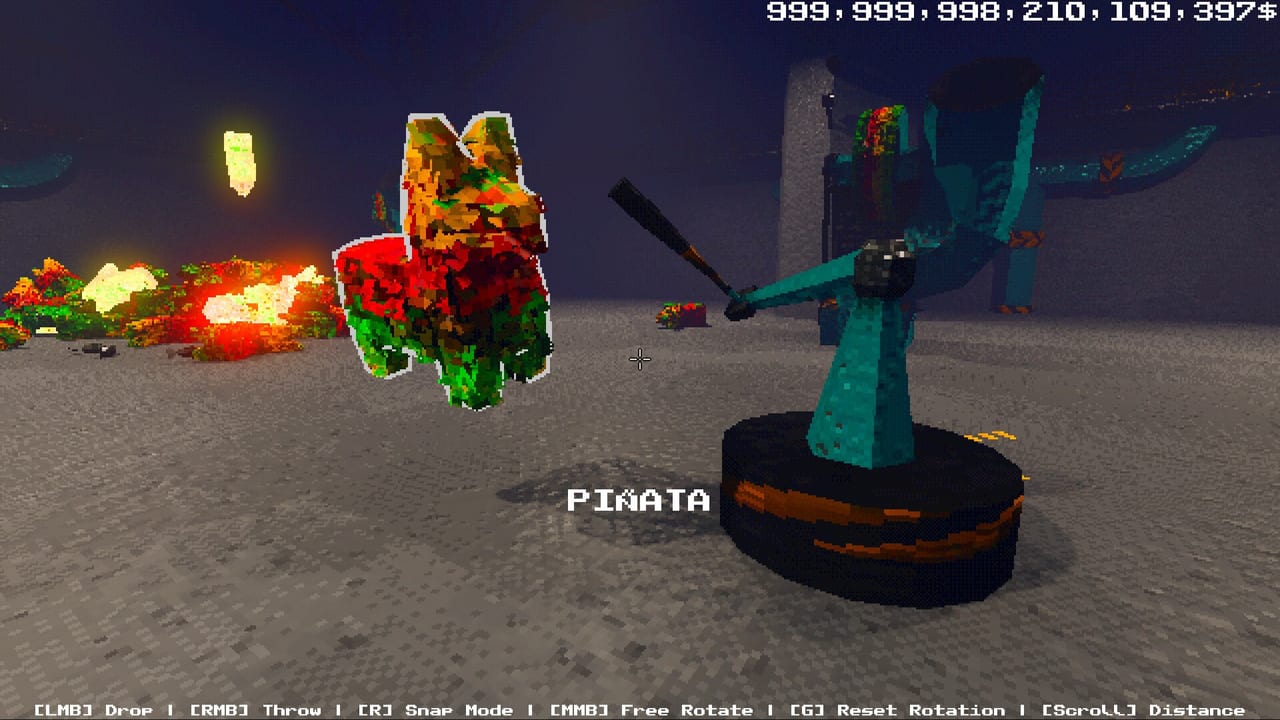
Project P.I.T.T. hides most of its depth in physics outcomes and facility literacy rather than in quest markers. This tips and secrets page collects high-value habits: reading height from pillars, stabilizing panels with Sticky tools, fixing lag without deleting your factory, recovering combos, and preparing for the August 19, 2026 full release. Use it as a field manual beside the Guides Hub and the Demo Walkthrough.
Secret of the pillars: height countdown literacy
When countdown pressure or Maw growth makes vertical space feel wrong, stop staring at the pit alone. Look at the pillars. They are your ruler. Comparing duck arcs and panel ramps against pillar bands tells you whether a throw still clears, whether a launcher arc needs a steeper exit, and whether crouch-walking under a beam is still safe. Interns who ignore pillars blame “random physics” for predictable geometry shifts.
Make a habit: between combo attempts, glance at two pillars from the same floor tile. If the relative reading changed, retune before spending currency on a louder launcher. Pair this with movement discipline from Controls.
Sticky tools are not optional flavor
Sticky tools upgrades for panels are a progression secret disguised as a quality-of-life unlock. Non-sticky panels teach you layouts; sticky panels let those layouts survive vibration, piston punches, and combo thrash. If automation feels cursed, check Sticky first. Details and spend order live in Upgrades, How to Automate, and ranking pages under Early Upgrades Tier List.
Lag and stutter: the corporate potato protocol
The brutalist PSX retro look is part of the satire and part of the performance bill. When ducks, fans, and magnets multiply, turn off the retro effect and set graphics to LOW before you tear down a working line. Many “broken magnet” reports are soft simulations dropping frames so hard that inputs and collisions feel unfair.
After settings, reduce failure volume: fewer ducks bouncing forever in a corner, fewer magnets fighting each other, tighter catches. Smooth sims make How to Chain Combos skill expressive again.
Throw and snap secrets
Unlock throw (RMB), then refuse hero shots for a session. Short throws from a taped mental floor mark beat cinematic bombs. Combine snap mode (R) for structure with snap-off micro edits for jam clears — veterans flip R constantly. Middle-mouse rotation in tiny increments prevents the “almost aligned” panel gap that eats every tenth duck and quietly kills combos.
Recovery kit: broom, golf club, remote
Keep a broom or golf club within reach during serious chains. One redirected stray is cheaper than a full abort. Remotes belong on overlooks with a full view of launcher and Maw; triggering from inside the blast zone is a classic demo comedy death. Tool behavior reference: Physics Tools, Tools, and Tools Tier List.
Product and container gotchas
Rubber ducks forgive bad angles. Boxes and containers punish them with wider collisions and stacking surprises. When a duck line is perfect and a box line fails, do not blame the magnet — rebuild the panel width. Read Rubber Ducks and Products and Boxes and Containers via the Items hub before mixed automation.
Facility routing secrets
- Build toward The Maw, not around decorative concrete for vibes.
- Place entry tiles where you can restock without crossing active fans.
- Leave a hand-access alley beside every line for jam clears.
- Meter feeds; dumps create knots.
- Test with one duck, then three, then a combo cadence.
Steal layout ideas from Automation Builds after you understand your own failure modes.
Mindset secrets for a satire sandbox
The posters get weirder, The Maw gets larger, and the internship stops feeling explainable. That narrative pressure is flavor — your mechanical answer remains calm iteration. Do not chase every rumor about later phases mid-demo. Finish phase-one competence, then read Demo vs Full Game and Release Date and Demo under Updates.
Full-game prep checklist
On August 19, 2026 expect three new phases, more tools and products, and gambling systems. Prep by mastering:
- Pillar height reads
- Sticky panel routes
- Metered combo cadence
- LOW / no-retro performance profile
- Abort-and-clear jam discipline
Those habits survive content drops. Wishlist and official channels are gathered on Links. Beginners returning to basics should reopen Getting Started the night before launch.
Quick reference tip list
- Pillars = height HUD you draw yourself
- Sticky panels before fancy launchers
- Retro off + LOW graphics when stuttering
- Short throws; snap for structure
- Broom or golf club saves chains
- Remotes from overlooks only
- One variable per rebuild
- Ducks first, boxes later
- Combos need cadence, not chaos
- Full game expands phases — demo skills still matter
Keep this page pinned while you experiment. Secrets in Project P.I.T.T. are mostly shared physics truths — once you see them, every rebuild gets faster, and The Maw sounds happier for longer.
Frequently Asked Questions
Quick answers about the full game, The Maw, and day-one patches.
How do I read height during countdown?
Look at the pillars from a fixed floor tile. They act as vertical rulers when The Maw grows or space feels tighter.
What should I do if the demo lags?
Turn off the retro effect, set graphics to LOW, then reduce bouncing failures and fighting magnets before dismantling a whole line.
What is the most important early upgrade habit?
Prioritize Sticky tools for panels once you route with panels. Stable structure beats novelty launchers for automation and combos.
How do I save a combo when one duck escapes?
Use a broom or golf club for a quick redirect. If multiple objects jam, abort feeds, clear by hand, and restart the chain.
What changes in the full game?
The August 19, 2026 release adds three new phases, more tools and products, and gambling systems. Demo habits like sticky routes and metered feeds still apply.