Project P.I.T.T. Preview and Review Coverage
How early coverage describes the demo, the Maw, and the physics comedy—without spoiling your shift.
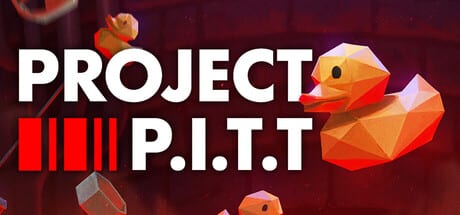
Creator previews and early press coverage have done a lot of the heavy lifting for Project P.I.T.T.’s visibility: rubber ducks, a hungry corporate pit, and first-person physics chaos are easy to show and hard to forget. This page explains what that coverage usually emphasizes, how to watch it without spoiling your own discovery, and how to convert hype into a useful demo session. It intentionally does not embed a YouTube video—the release overview embed already lives on Release Date and Demo so this wiki keeps one video per topic page.
Project P.I.T.T. is a single-player Steam sandbox from Froke and Pretty Soon. The demo is live; the full game targets August 19, 2026. Coverage you will encounter before launch is mostly demo-based, trailer-based, or press-kit-based. Treat it as orientation, not as a substitute for grabbing a duck yourself.
What early coverage tends to praise
Across creator showcases and publisher-facing previews, the same pillars appear:
- The pitch is instantly readable: craft ducks, feed The Maw, escalate.
- Physics toys (fans, magnets, panels, launchers) turn “office task” into chaotic engineering.
- Combo feedback—audio and visual escalation—sells the fantasy of a perfect shift.
- Brutalist PSX presentation and increasingly desperate safety posters carry the satire without a lecture.
- The demo is framed as a real slice (phase one), not a tiny vertical fakeout.
That consensus is useful. If those pillars do not appeal to you in a trailer, the full game’s extra phases will not magically convert you into a conveyor poet. If they do appeal, the wiki’s Guides Hub exists to shorten the painful middle where ducks bounce into concrete forever.
What coverage sometimes undersells
Trailers compress failure. Real sessions include jammed panels, laggy magnet storms, and upgrades bought too early. Creator edits often cut straight to the funny success. Budget time for ugly first builds. Read How to Automate and Tips and Secrets so you expect performance cliffs when object counts rise.
Coverage also rarely lingers on gambling crate nuance. Demo patches already adjusted crates so locked tools should not spill out prematurely. Full-game gambling loops will add variance; do not assume every creator’s lucky crate streak is the average experience. See Demo vs Full Game for scope honesty.
How to watch previews without ruining the internship
- Watch one overview for tone and fantasy.
- Skip multi-hour “perfect factory” uploads until you can hand-feed cleanly.
- Pause when a creator opens the upgrade terminal—note priorities, then close the video and decide yourself.
- Prefer builds that show failure recovery, not only climax combos.
- After watching, immediately play twenty minutes. Passive viewing does not train throw timing.
If you want a structured first hour instead of freeform mimicry, use the Demo Walkthrough and Getting Started.
Press framing versus player goals
Publisher and press materials emphasize the comedy of pointless corporate work made interactive. That framing is accurate and also incomplete. Your player goal is throughput under physics constraints. Satire is the skin; automation literacy is the skill. Ranking pages under Tier List and item notes under Items help when you stop laughing long enough to optimize.
Some coverage mentions massive view counts on related videos or trailer spikes. Numbers prove attention, not that your first magnet line will work. Use attention as a wishlist reminder, not as peer pressure.
Connecting coverage to official sources
Whenever a video description buries a suspicious mirror, return to Official Resources for Steam, Pretty Soon, and itch.io links. Wishlist on Steam app 4026250. Install the demo from Steam or Fr0ke’s itch.io page. Publisher support remains support@prettysoon.games for store-side issues.
This wiki stays unofficial. We summarize patterns in coverage; we do not speak for Froke or Pretty Soon. When a creator’s claim conflicts with the store page—release date, platforms, single-player status—believe the store.
Suggested post-preview route
- Confirm dates on Release Date and Demo.
- Install the demo from Official Resources.
- Learn inputs on Controls.
- Build a tiny line, then chase combos with How to Chain Combos.
- Revisit coverage only when you need inspiration for a stuck layout—then check Automation Builds.
Why there is no video on this page
Wiki policy keeps a single YouTube embed per page and avoids reusing the same id across articles. The release-and-demo overview already uses the primary trailer-style embed. This coverage page therefore stays text-first: qualitative, practical, and linked tightly to guides. If you came here hunting a play button, open the release page instead.
Bottom line for interns
Early coverage is right about the fantasy and light on the jammed-panel tax. Watch enough to know you want the job, then practice until The Maw forgives your angles. Keep Links Hub bookmarked for doors, and let Guides carry the shift once the trailer ends.
Frequently Asked Questions
Quick answers about the full game, The Maw, and day-one patches.
Does this page embed a YouTube preview?
No. The release overview video lives on the Release Date and Demo page to avoid duplicate embeds.
Should I copy creator factories on day one?
Not yet. Learn hand feeds and a three-device line first, then use creator layouts as inspiration.
Is early coverage based on the full game?
Most pre-launch coverage is demo, trailer, or press-kit based. Full-game phases arrive with the August 19, 2026 release.
Where do I go after watching previews?
Install from Official Resources, then follow Getting Started and Controls before chasing advanced automation videos.
Can coverage replace the demo?
No. Physics timing and jam recovery only click when you play. Use videos for tone, then clock in.