Project P.I.T.T. Demo Walkthrough
A timed phase-one shift from first duck to early automation.
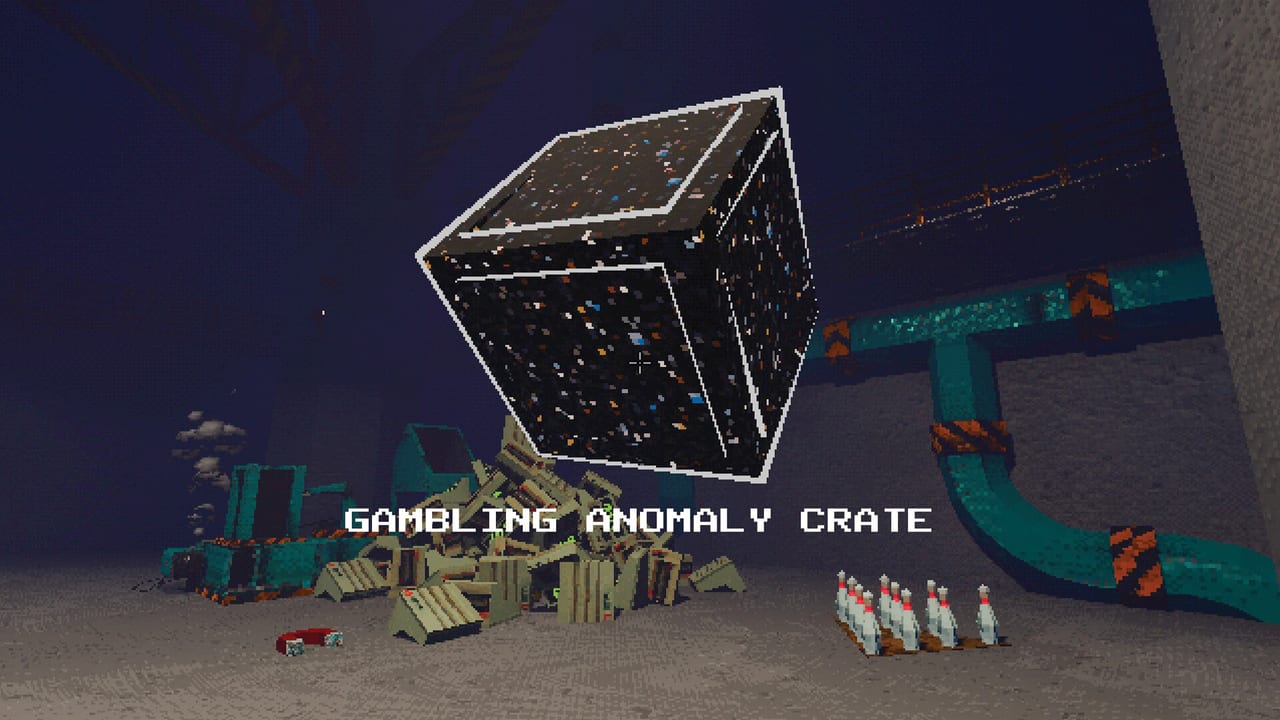
This walkthrough turns the Project P.I.T.T. demo into a structured shift. The demo covers phase one: craft rubber ducks, feed The Maw, unlock early tools, and taste physics automation before the facility asks for stranger products. Full release on August 19, 2026 adds three new phases, more tools and products, and gambling — treat this page as the opening act, not the finale. Cross-check scope on Demo vs Full Game and dates on Release Date and Demo.
If you have not learned inputs yet, skim Controls first. For a broader orientation without timed beats, use Getting Started.
Minute 0–10: orientation and clean feeds
Spawn in, ignore the urge to buy every shiny tool, and walk a full loop of the visible facility. Find craft or duck supply points, The Maw, and any unlock terminals. Practice WASD, crouch, grab, and interact until F and left mouse feel distinct. Deliver five rubber ducks into The Maw without losing one to a bounce-off. If ducks escape, change your stand angle rather than spam more products.
While feeding, glance at pillars to calibrate height. Countdown and Maw growth are easier to read when you have a vertical reference. That habit pays off later when space tightens; details sit in Tips and Secrets.
Minute 10–25: first upgrades and throw practice
Spend early currency on upgrades that stabilize placement or unlock throw (RMB) if available. Avoid building a twelve-device labyrinth before throw and snap are comfortable. Confirm priorities against Early Upgrades Tier List and Upgrades. Practice short throws into The Maw from a marked floor tile so your muscle memory has a home position.
Introduce one tool only: a fan or a panel. Place it with snap mode (R), rotate with middle mouse, and watch a single duck ride the new path. If it fails, remove the tool — do not add a magnet “to fix it” yet. Single-variable testing is how demo progress stays fun.
Minute 25–45: sticky panels and a mini line
When Sticky tools for panels unlock, prioritize them. Sticky panels turn flimsy scaffolds into routes you can trust. Build a triangle: duck entry, sticky panel path, Maw exit. Add a fan or piston only after three unattended successful cycles. Brooms or the golf club stay in your pocket for stray recovery instead of living in the permanent line.
Document what you built mentally: which face of the magnet pulls, which panel angle lifts, where ducks die. That mental map is the seed for Automation Builds and the deeper methods in How to Automate. Rank any new tool against the Tools Tier List before your next spend.
Minute 45–60: combo awareness and jam drills
With a stable mini line, start feeding in rhythm. Combos reward uninterrupted Maw hits with escalating feedback. When a jam hits, stop spawning ducks, clear the clog by hand, then restart — never flood a broken path. Use How to Chain Combos for timing theory once your demo line survives five minutes alone.
If frame rate drops during this stress test, disable the retro effect and set graphics to LOW. The demo’s PSX satire is stylish; physics fidelity matters more than post-process when twenty ducks and three fans collide.
What “demo complete” should feel like
You can produce ducks, feed The Maw reliably, place panels with snap, use at least one directing tool, recover a jam without rage-rebuilding, and understand that Sticky panel upgrades are the automation gate. You also know rubber ducks are the headline product while boxes and containers teach awkward collisions — skim Rubber Ducks and Products and Boxes and Containers under Items if shapes start confusing you.
Optional stretch goals before you quit the session
- Add a remote trigger so you can fire a launcher from a safe overlook.
- Replace one manual throw with a launcher segment and compare loss rate.
- Build a second short line and see which fails first under combo pressure.
- Tour Physics Tools and the Tools hub to name every device you touched.
- Wishlist or note full-game curiosity items via Links so launch day has a plan.
Common demo failure modes
Overbuilding: twenty devices, zero successful cycles. Tear down to three. Ignoring snap: every rebuild drifts. Toggle R on for structure. Throw spam: long bombs bounce; short throws win. No pillar checks: countdown surprise. Look up. Chasing full-game rumors mid-demo: finish phase-one competence first; then read Updates.
After the walkthrough
Return to the Guides Hub and pick Automation or Combos next. Use tier lists when currency burns a hole in your pocket. The demo is short on paper and deep in practice — one disciplined hour beats three hours of random magnet sculpture. When August 19 arrives, revisit this walkthrough as a warm-up before new phases rewrite the facility’s demands.
Frequently Asked Questions
Quick answers about the full game, The Maw, and day-one patches.
How long is a good first demo session?
Plan about sixty minutes: orientation, clean feeds, one upgrade cycle, a sticky-panel mini line, and a short combo stress test.
Does the demo include the full game’s later phases?
No. The demo focuses on phase one duck production and early tools. The full release adds three new phases, more products and tools, and gambling systems.
When should I unlock Sticky tools?
As soon as panels become part of your route. Sticky panels stabilize automation and should outrank novelty launchers for most early spends.
What if my demo line keeps jamming?
Stop feeding, clear by hand, and simplify to a three-device path. Add only one new tool after three clean unattended cycles.